Instagram Video Downloader
Save Instagram Reels, videos, photos, stories and audio in original quality — free, fast, and with no watermark.
- Reels
- Videos HD
- Photos
- Stories
- Audio M4A
- IGTV
GetMeInsta.com is not affiliated with Instagram™. We do not host any Instagram content. All rights belong to their respective owners. We respect privacy — public content available only. Read more terms of service
Our tool was developed to help users download videos and images posted by themselves. However, we will refuse to provide services if you abuse the tool to violate the privacy rights or violate the intellectual property rights of others.
Before using the application or accessing the website, please carefully read the terms of service (referred to as ToS). You can find the full ToS here. Here are the key points to understand:
- GetMeInsta.com is an independent platform, developed and maintained by the GetMeInsta.com team. WE ARE NOT AFFILIATED WITH INSTAGRAM OR META.
- The GetMeInsta.com™ trademark is created by us solely for use in connection with the services, applications and websites we provide. GetMeInsta.com is read as one seamless word without mentioning any other person or organization.
- We display advertising to maintain and support research and development activities for non-commercial purposes. Our advertising partners may use cookies to optimize ad delivery. You can completely refuse cookies or stop using our services at any time.
Your continued use of the website or application means you agree to be bound by our terms and policies (including any future updates). If you do not agree with any content, please stop accessing and using our services immediately.
Instagram video downloader for videos, Reels, photos and audio
Instagram has never shipped a save button. Videos, IGTV episodes, Reels and photo carousels all live inside the app, and the only way to keep a copy of your own work — or a reference you are allowed to reuse — is a downloader. GetMeInsta.com does exactly that, in one browser tab, in a couple of seconds.
Paste any public Instagram link and the tool returns the media file Instagram itself serves: MP4 for videos, Reels and IGTV, JPG or WebP for photos, plus the M4A audio track when the platform exposes it separately. Nothing is re-encoded, cropped or stamped with a logo, so the file you save is the file that was uploaded.
There is no app to install and no account to create. It runs on Android, iPhone, iPad, Windows, macOS and Linux — the same link works everywhere, and every download keeps the maximum resolution Instagram published for that post.
Why people use an Instagram video downloader
Creators keep a backup of their own uploads before deleting an account, editors collect references for moodboards, and social teams archive Reels that may be removed later. A downloader simply gives you the original file instead of a screen recording, which is why the result has no watermark, no quality drop and no cropped edges.
What you can download
- Instagram videos — feed posts and carousel clips in the highest rendition Instagram offers, usually 720p or 1080p MP4.
- Instagram Reels — vertical clips with the original audio, plus a separate M4A track when available.
- IGTV episodes — long-form videos saved as standard MP4 files that play on any device.
- Photos and carousels — single images or every slide of a multi-photo post at full resolution.
- Stories — saved before they expire, without appearing in the viewer list.
- Audio (M4A) — the sound track alone when Instagram publishes it separately, ready for editing.
- Profile pictures — public avatars at full size, no screenshot needed.
- Zero limits — no daily cap, no watermark, no software, no login.
Supported formats and quality
The downloader hands you the exact file Instagram serves to a browser, so format and quality always match the original upload.
| Videos | MP4 | Up to 1080p with the original audio track, no re-encoding. |
| Reels | MP4 + M4A | Vertical 9:16 clip plus the audio file when Instagram exposes it. |
| Photos | JPG / WebP | Full-resolution image of every slide in a carousel post. |
| Stories | MP4 / JPG | Saved while the story is still live on a public account. |
How to download Instagram videos, Reels and photos in four steps
- Open Instagram on your phone or at instagram.com, find the video, Reel, IGTV episode, photo or story you want and copy its link (three dots, then Copy link).
- Come back to GetMeInsta.com and paste the link into the box at the top of this page — the Paste button fills it for you.
- Press Download: the resolver returns every file Instagram publishes for that post within a second or two.
- Choose the card you need (MP4 video, M4A audio, JPG photo) and the file is saved straight to your device.
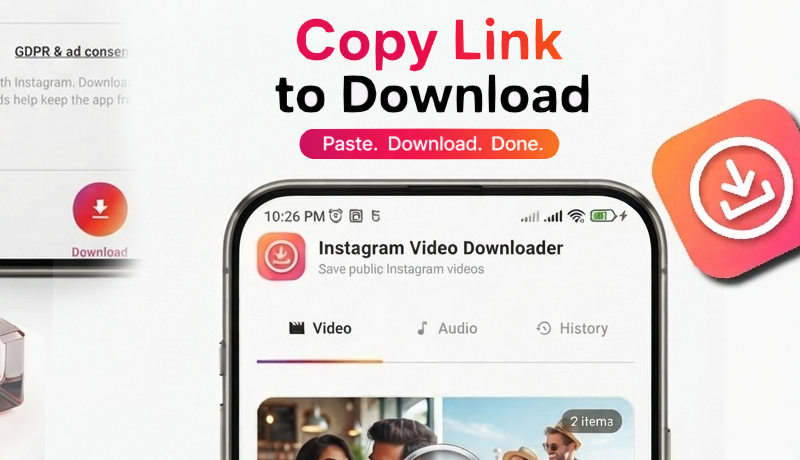
Paste a link, pick a file, done — the same flow on Android, iPhone and desktop
Why GetMeInsta.com instead of another downloader?
Most "Instagram downloader" sites ask you to install an extension, watch three pop-ups and then hand you a re-compressed video. GetMeInsta.com keeps the original bytes: the same MP4, the same JPG, the same audio track that Instagram delivered to your browser. No watermark, no resizing, no waiting queue.
The downloader runs entirely client-side. Your link is resolved once and forgotten — we keep no library of what you saved, no account and no download counter. That is also why the tool keeps working without a login: there is simply nothing to log into.
And it is free without tricks. No daily limit, no "premium HD" paywall, no forced app install. A small amount of advertising on the informational pages pays the resolver bill; the tool itself stays unobstructed.
Fast by design
A single lightweight page, no webfonts and no framework: the downloader is ready to paste within a second, even on mobile data.
Original quality
Videos, Reels, photos and audio are saved exactly as Instagram publishes them — no watermark, no crop, no re-encode.
No account, no tracking
No sign-up and no download history. Only public Instagram links are supported, so creators keep control of private posts.
Frequently Asked Questions
What is the GetMeInsta.com downloader?
Does GetMeInsta.com work on iPhone/iPad?
How to download Instagram videos and photos on Android?
Does GetMeInsta.com keep a copy or store the downloaded videos?
Why can't I download photos or videos from certain accounts?
Do I need to log in to my Instagram account?
Is the GetMeInsta.com downloader free of charge?
I can't find the photos and videos after downloading?
Can I download the audio of an Instagram Reel separately?
Is the downloaded Instagram video HD or compressed?
Which Instagram link formats are supported?
GetMeInsta.com is developed to help you save and download photos or videos that you have uploaded yourself. We reserve the right not to provide service if you use this tool to violate the copyright or privacy rights of others.
Read our Terms of Service 👉here👈